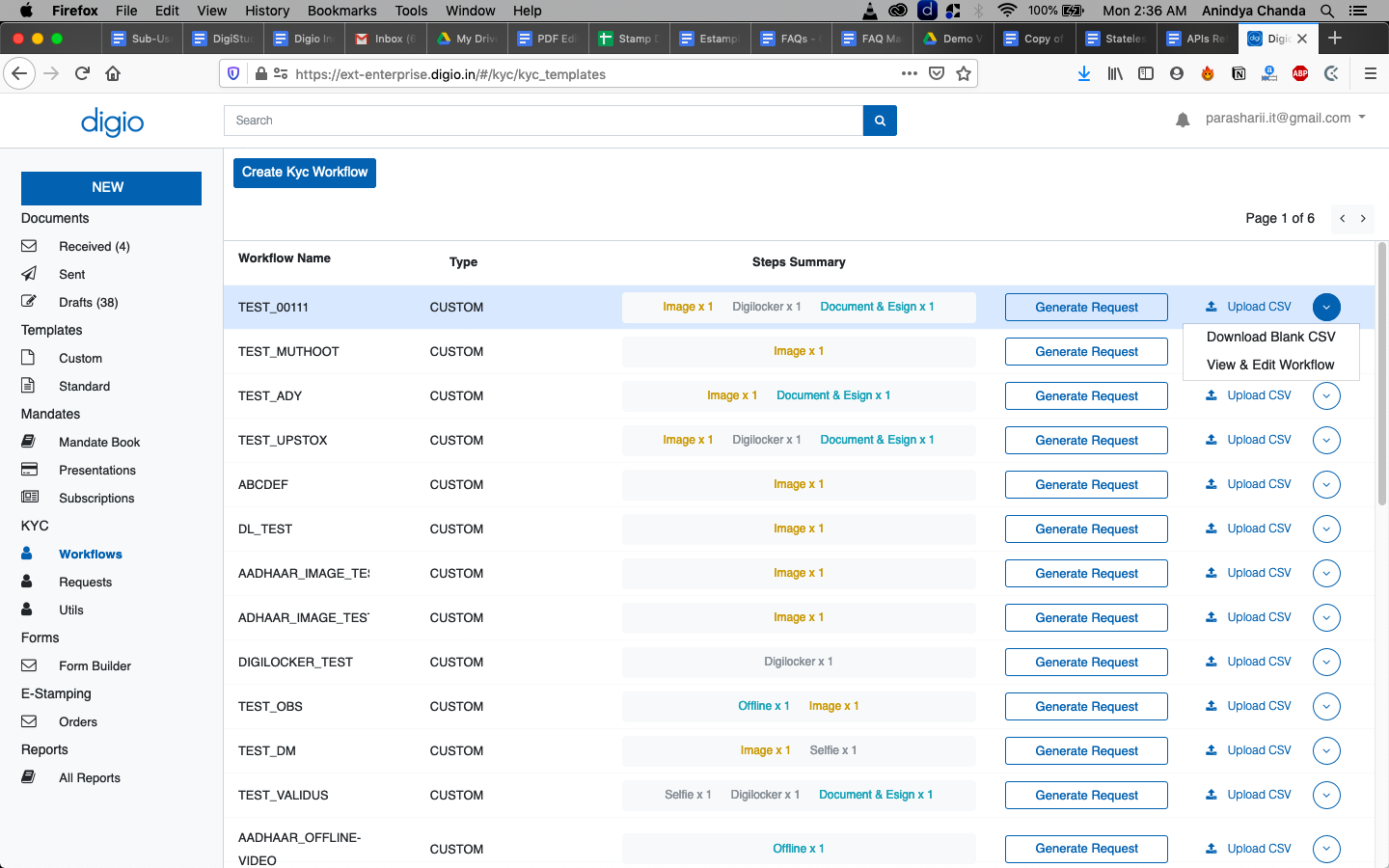
To generate the CSV template for bulk requests, click on Workflows on the left navigation panel to see the list of workflows. Now for the required workflow, hover on the circular downward arrow button on the extreme right of each row and click on ‘Download Blank CSV’.
In the downloaded template file, use the table structure to fill in additional rows, each row represents a request.
To upload the CSV and generate requests, click on the ‘Upload CSV’ action on the workflows screen and select the pre-populated csv file. Once the file is processed and requests would be generated automatically.