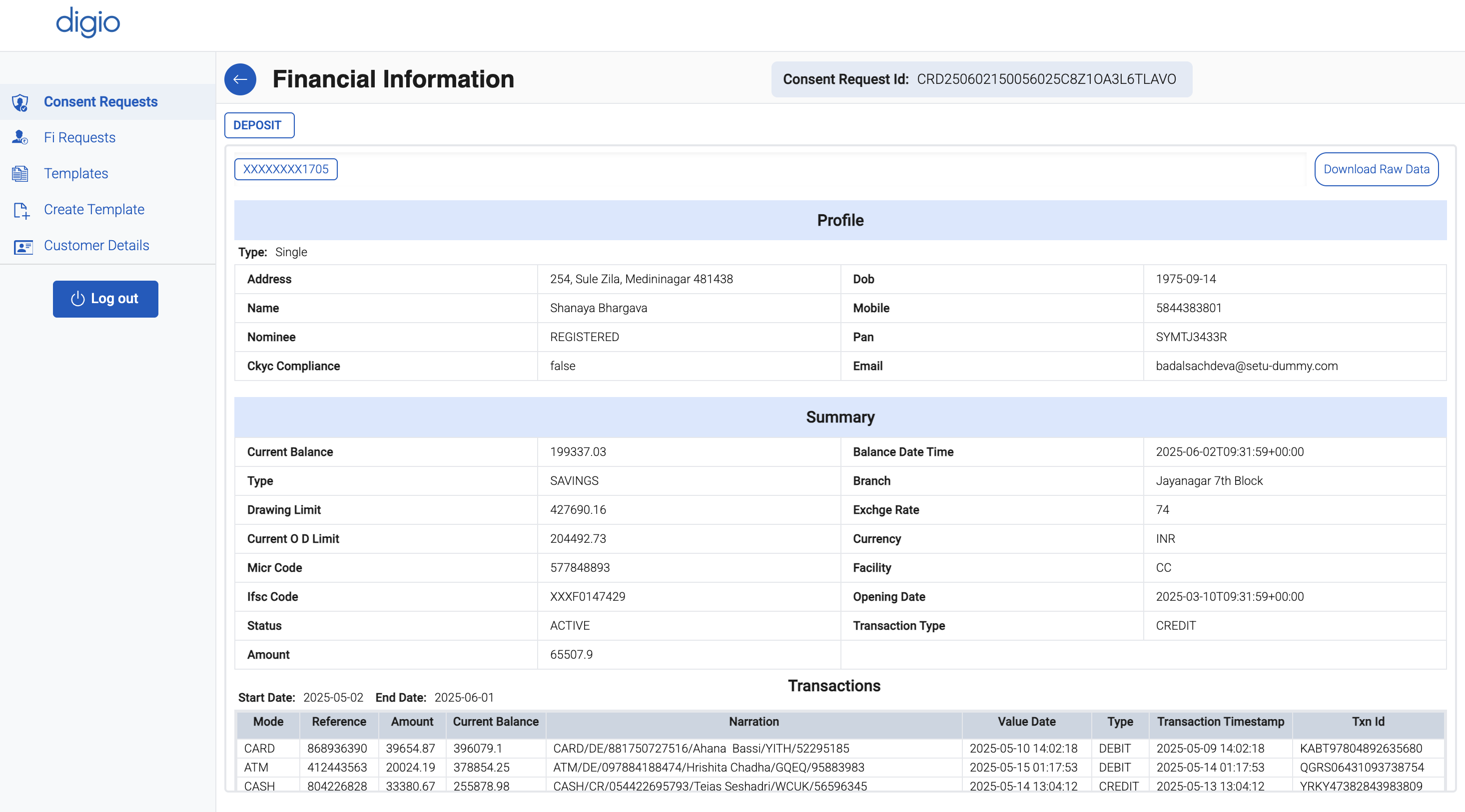
Consent Generation
Once you have created a template, the next step is to initiate a consent request based on that template. Consent generation is a critical step in the Account Aggregator framework, allowing users to authorize data sharing from their financial accounts.
Follow the steps below to generate a consent request:
Step 1: Create or Select a Template
Before generating a consent request, ensure that you have already created a valid template by following the steps in the Template Creation section.
Once the template is created:
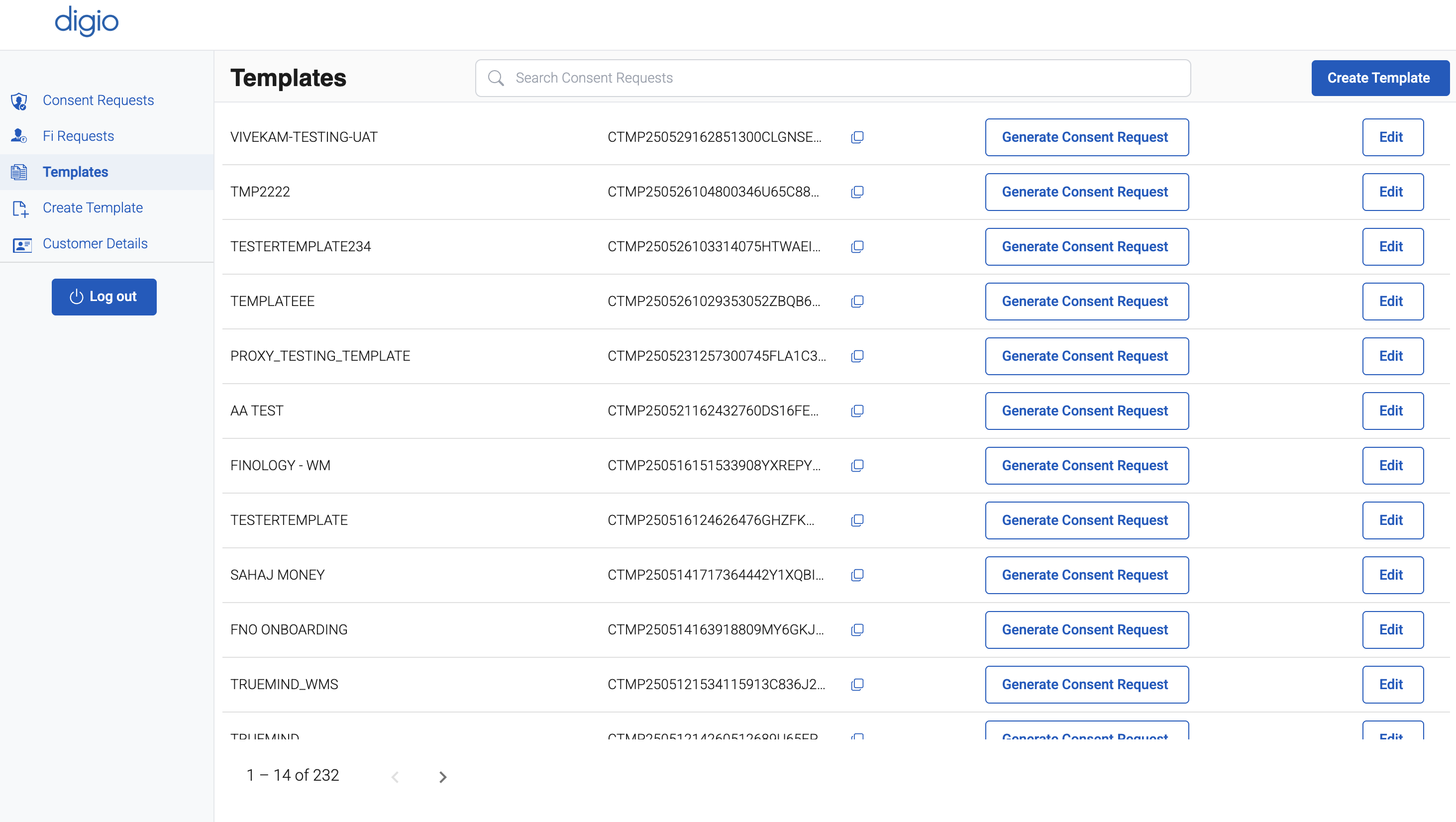
- Navigate to the "Templates" section in the left sidebar of the FIU Dashboard.
- Locate the template you wish to use for consent generation.
Step 2: Generate Consent Request
Within the selected template’s row or detail view, click on the "Generate Consent Request" button. This will open a form that allows you to define the parameters for the specific consent request.
Step 3: Fill Out the Consent Form
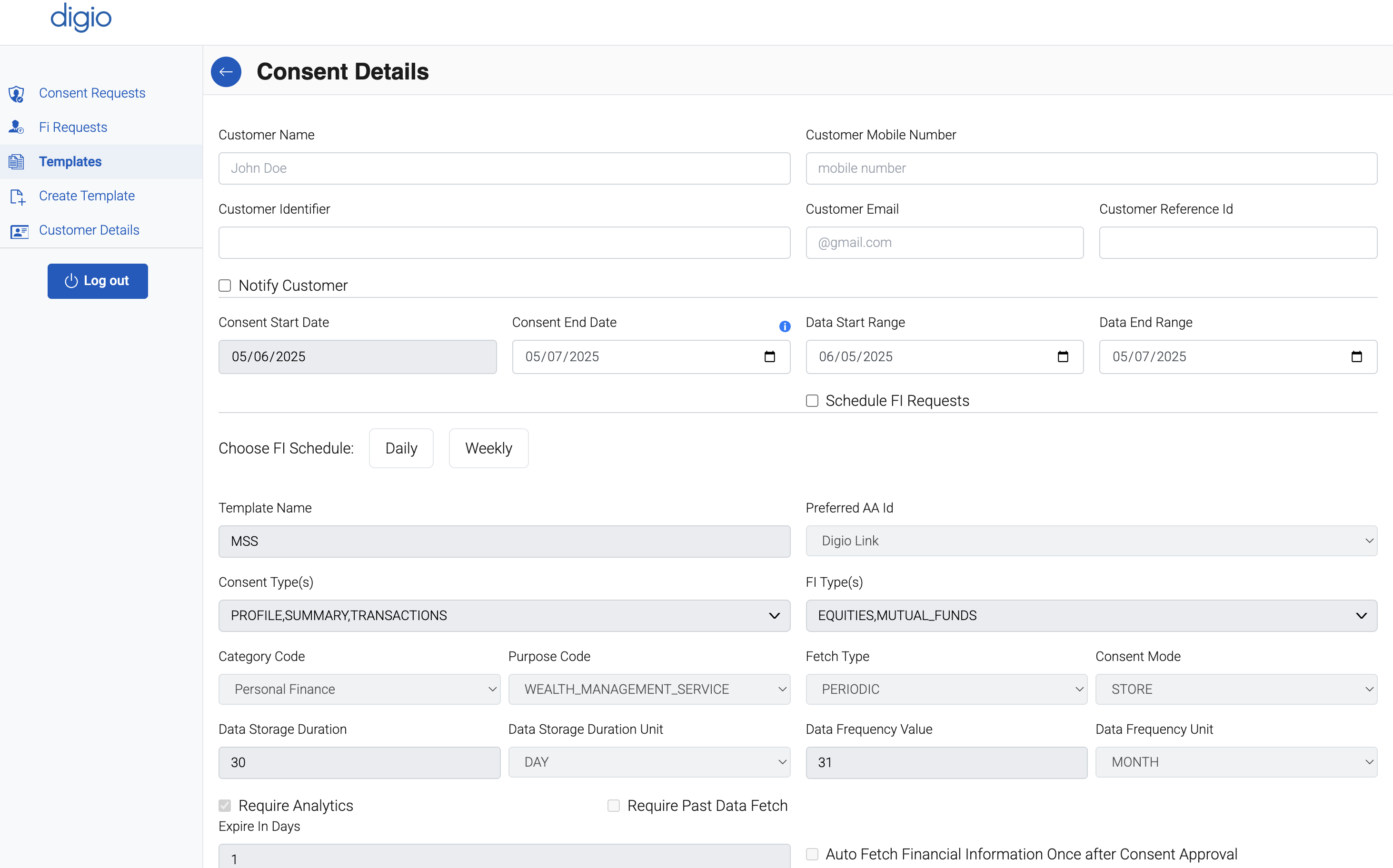
Complete the consent request form with the following details:
- Customer Identifier (e.g., phone number linked to the AA system)
- Validity Period for the consent (start and expiry dates)
- Frequency of Data Pull (one-time or recurring)
- Data Fetch Range (duration of data to be retrieved, such as last 6 months or 1 year)
- Financial Information Provider(s) (select one or more FIPs relevant to your request)
Note: The Customer Identifier entered in the consent request form must match the customer's registered mobile number associated with their Account Aggregator (AA) profile.
Auto-Fetching Financial Information Post Consent Approval
Once a user has approved a consent request via their Account Aggregator (AA) app, the FIU (Financial Information User) is permitted to fetch the user's financial data as per the terms defined in the consent (such as FI type, validity, frequency, and data range).
Note: Auto-fetch is typically used when the consent is one-time
Review the information and submit the form to trigger the consent request process.
Once submitted, the user will receive a notification via their registered AA application to approve or reject the request.
Viewing Existing Consent Requests
To monitor existing consent requests:
- Navigate to the "Consent Requests" section from the left sidebar of the FIU Dashboard.
- This section provides a list of all generated consent requests along with statuses such as:
- Active
- Approved
- Rejected
- Expired
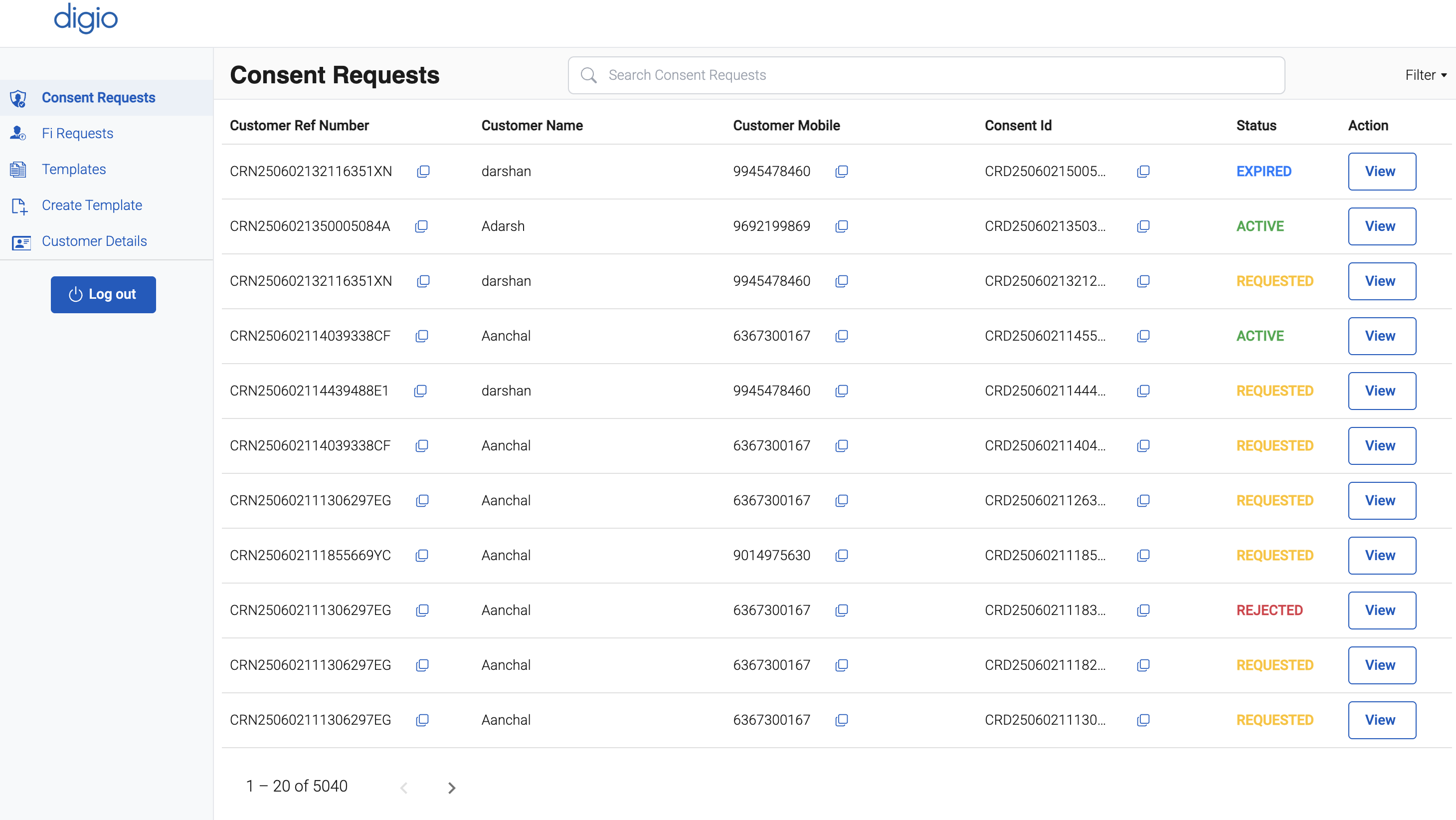
You may also click on individual entries to view full request details and logs for auditing or support purposes.
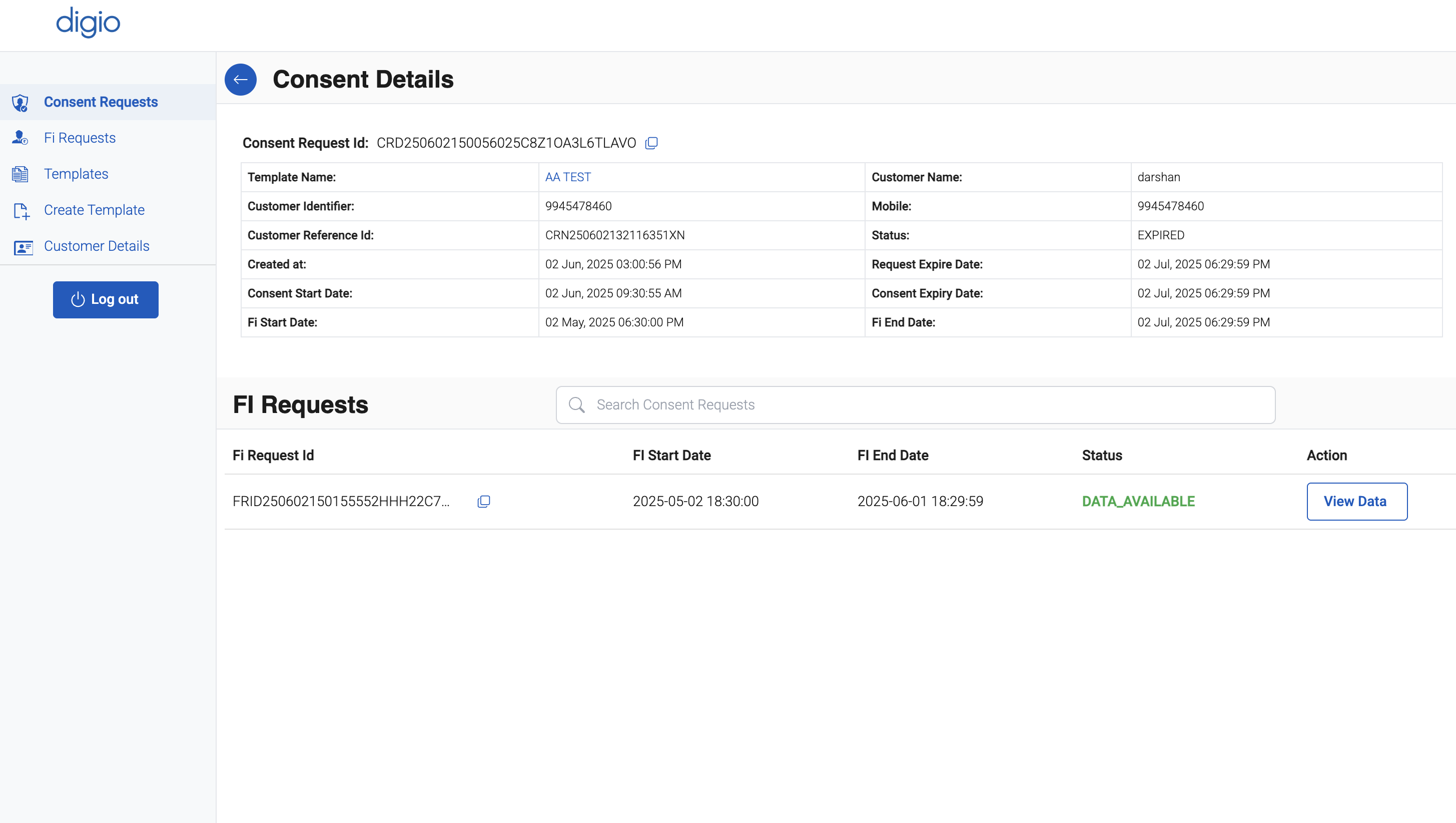
View Retrieved Data
To access the shared financial information:
- Navigate to the "View Data" Option