Viewing FI Requests
After consent has been approved and data retrieval is initiated, all Financial Information (FI) Requests generated through the FIU Dashboard can be tracked and reviewed in a centralized section.
Step 1: Navigate to FI Requests
- Go to the left sidebar, click on the "FI Requests" option.
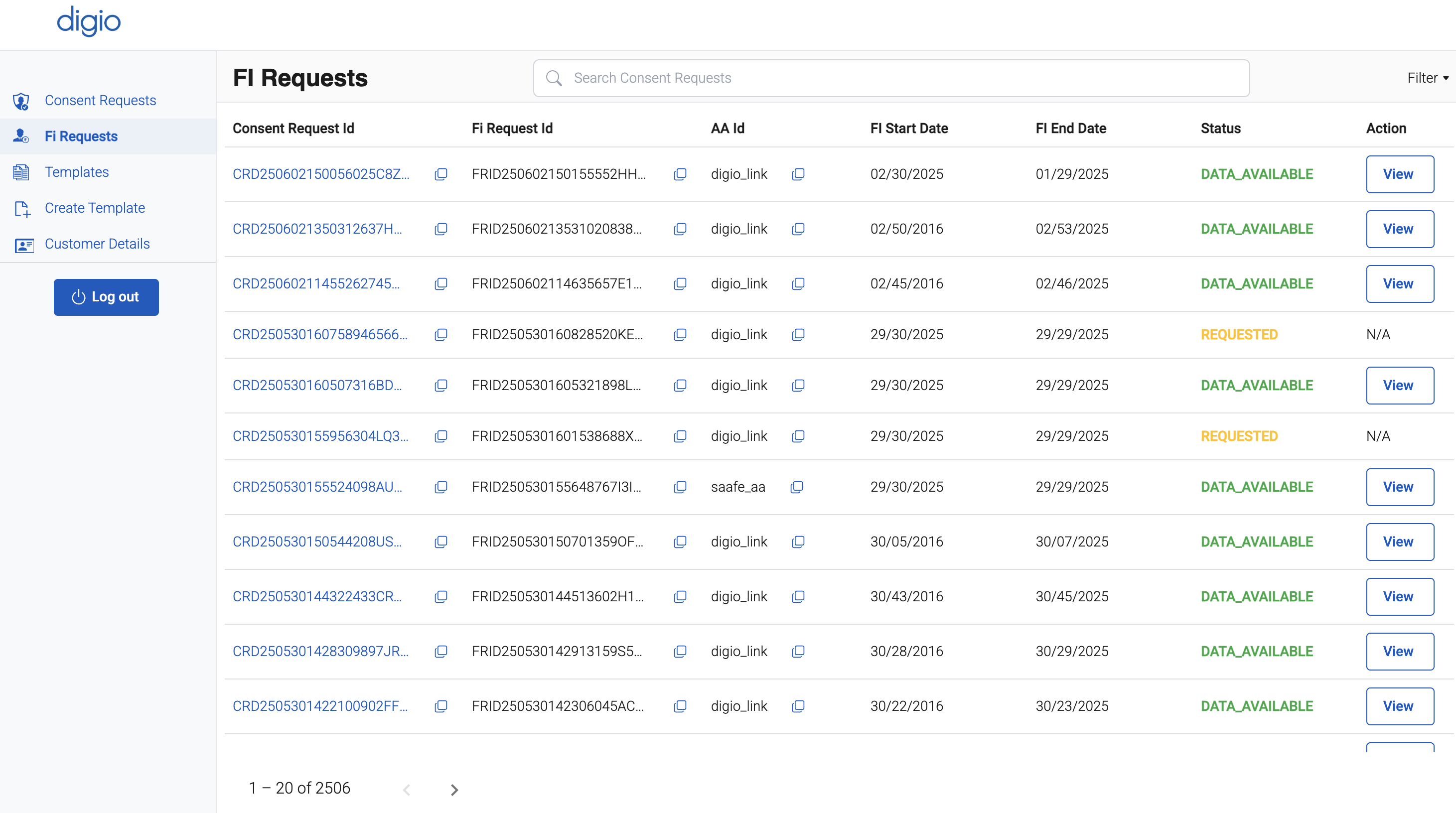
This section displays a list of all FI requests that have been initiated based on user-approved consents. Each entry typically includes:
- FI Request ID
- Consent Request ID
- AA Id
- Request Status (e.g., DATA_AVAILABLE, REQUESTED)
- FI Start and End Time
Step 2: View Detailed Financial Information
For each FI request listed:
- Locate the corresponding row in the FI Requests table.
- Click on the "View" action button associated with the request.
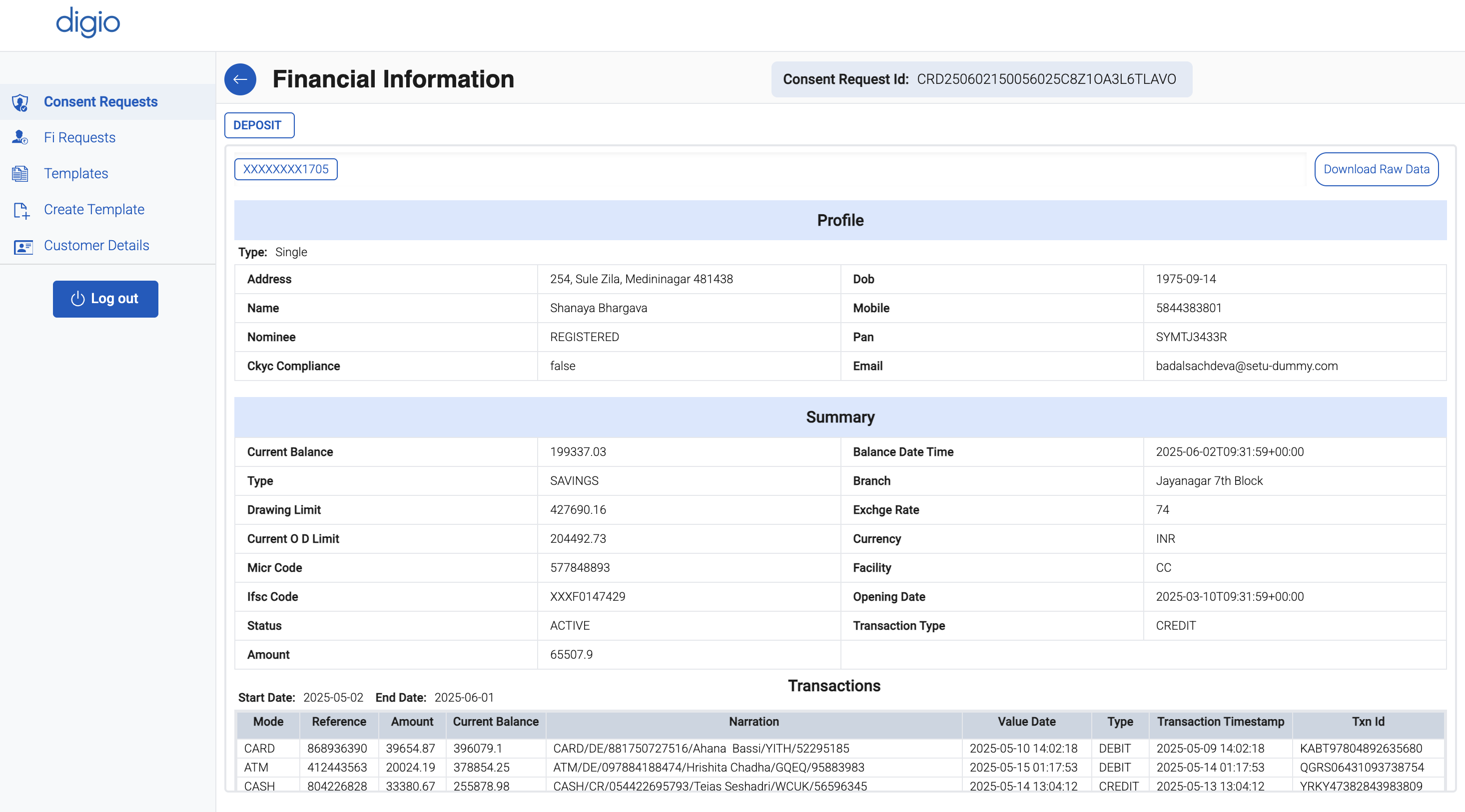
This opens a detailed view where you can:
- Review the full financial data payload retrieved from the FIP(s)
- Analyze account-level or transaction-level information
- Confirm if the data retrieval was successful and complete
This view enables FIUs to perform further operations such as credit decisioning, financial profiling, or storage of data as per their business logic and consent terms.