What is Face Authentication?
Face authentication is a technology of verifying a person’s identity by analyzing their facial features and characteristics.
What do you get?
Digio built its in-house facial authentication technology using machine learning, pattern recognition algorithm and deep learning techniques to analyze and extract facial features and its unique characteristics.
Digio also perform various checks like Blur check to identify blurriness in the image, Darkness check, Eyes check to determine whether the eyes are open or closed, Partial Face Check to identify if the face is partially or fully visible in the image, Multiple Face Check to detect if there are multiple faces in the image, Face Alignment Check, etc.
Face authentication technology is used for Face match and Liveness check.
Face Match
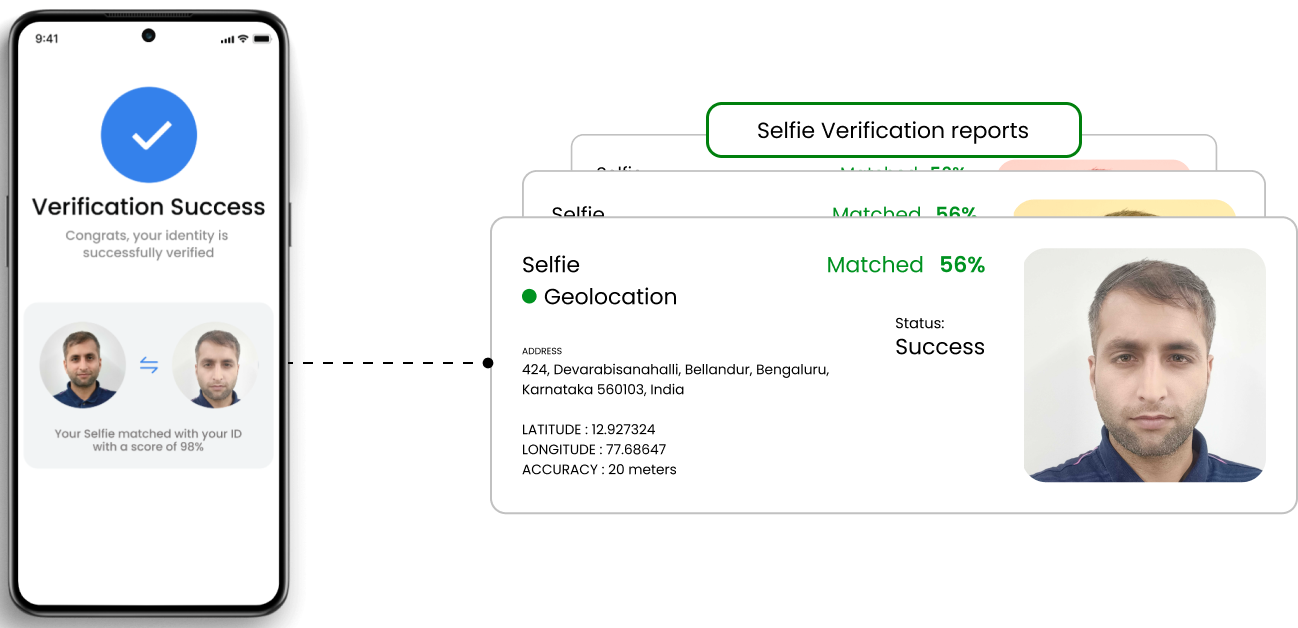
Face match is a process of comparing two facial images and a similarity score is calculated. It is used to determine if the two images belong to the same individual or if there is a match between them. This technology is used to verify or identify a person based on their facial features.
The API accepts two images as input and returns a score between 0 and 100, where 0 means no similarity and 100 means identical faces. Businesses can also specify the level of confidence they want for the result, from low to high.
Liveness Check
A liveness check is used in face authentication systems to ensure that the face being presented for authentication is from a living person and not a static image, photograph, or video. It helps prevent spoofing attempts, where an unauthorized person might try to use a photograph, video, or other non-living representation of an authorized individual face to bypass security checks.
Digio performs both active and passive liveness checks.
- Active check: The end user who is to verified need to perform different facial movements and gestures as prompted during the verification process
- Passive check: The end user who is to verified needs to just present his face in front of the camera without performing any actions.
The API accepts images as input and returns a score between 0 and 100, where 0 means fake and 100 means real image. Business can also specify the level of confidence they want for the result, from low to high.